Are eClinicalWorks front desk delays slowing down your clinic’s workflow and affecting billing outcomes? Front desk delays in eClinicalWorks continue to affect outpatient practices in 2026, particularly during patient registration, scheduling, and insurance verification. As per recent industry data, 10% to 25% of insurance claim denials occur at the front desk due to mistakes during processing and eligibility. These early-stage issues have a direct impact on patient flow and revenue cycle performance.
The operational impact is measurable. Healthcare billing standards for 2026 show total claim denial rates ranging from 8% to 12%, with higher rates in some specialties depending on payer requirements and documentation quality. Based to studies, up to 60% of denied claims are the result of preventable front-end issues such as missing insurance information, incorrect demographics, or failed eligibility checks. These errors result in more administrative rework and delayed reimbursement cycles.
This guide on how to fix front desk bottlenecks in eClinicalWorks explains structured workflow fixes, scheduling improvements, and data accuracy controls to reduce delays and improve operational efficiency.
How to Fix Front Desk Bottlenecks in eClinicalWorks: Workflow Breakdown and Operational Impact
Front desk bottlenecks in eClinicalWorks occur when patient intake, scheduling, or insurance verification processes fail to capture or transfer accurate data. These breakdowns slow down patient flow and create errors that affect billing and claims. This section explains where these issues occur and how they impact healthcare operations.
This section also focuses on how workflow gaps form inside eClinicalWorks modules. It connects front desk performance with downstream effects on coding, billing, and revenue cycle management services performance. Understanding this structure is required before applying fixes.
What defines a front desk bottleneck in eClinicalWorks
A front desk bottleneck in eClinicalWorks occurs when patient intake, scheduling, or insurance verification does not move smoothly through the system. These delays usually begin during registration or appointment creation. Small input errors can block downstream workflows.
These issues often come from missing data, incorrect insurance details, or incomplete scheduling templates. When data is not validated at entry, it affects medical billing services accuracy and claim readiness. This creates repeated corrections across teams.
Operational impact on healthcare delivery
Front desk bottlenecks reduce patient flow and slow down clinical operations. Appointment delays increase waiting time and reduce provider efficiency. This also creates pressure on administrative staff.
The impact extends to billing and revenue cycle teams. Incorrect intake data leads to claim rejections and rework. This increases operational cost and slows reimbursement cycles across the practice.
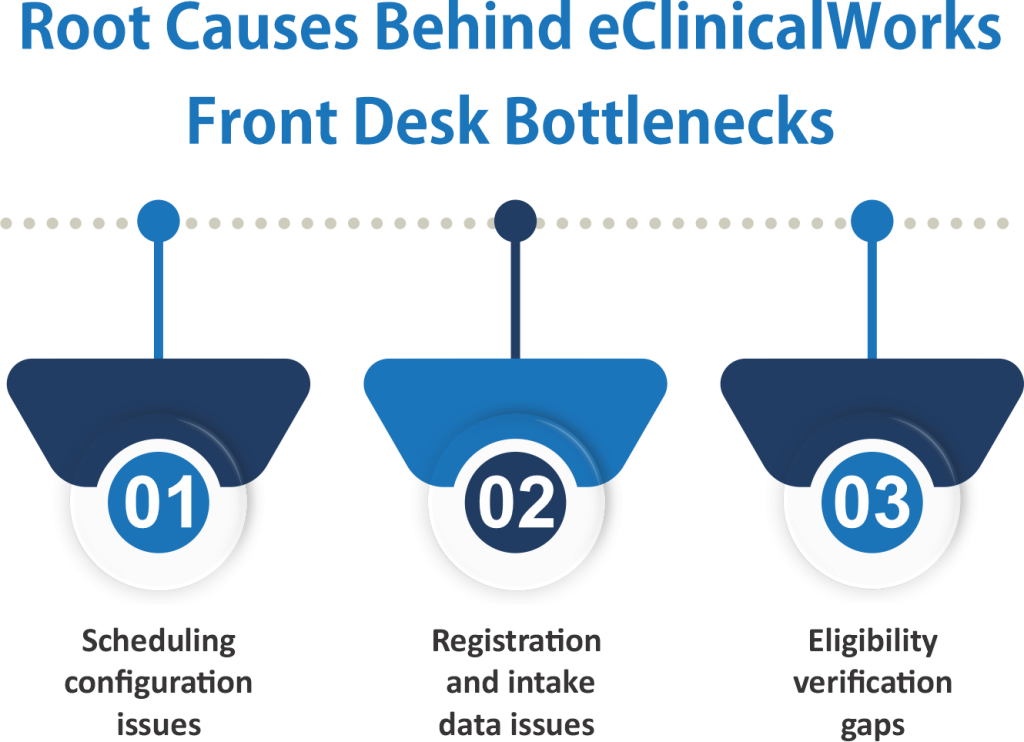
Root Causes Behind eClinicalWorks Front Desk Bottlenecks
Front desk bottlenecks in eClinicalWorks usually start from workflow design gaps, not system failure. Most clinics experience delays because intake, scheduling, and verification tasks are not structured in a consistent way. These issues build up during daily operations.
Understanding these causes is important for reducing errors and improving patient flow. When the root cause is not identified, staff continue to repeat the same mistakes, and billing teams face repeated corrections.
Scheduling configuration issues
Scheduling issues in eClinicalWorks often come from incorrect setup of provider templates and visit types. When appointment slots are not clearly defined, overbooking and time conflicts occur.
These errors lead to uneven patient flow across the day. Providers face idle time in some slots and overload in others. This reduces clinic efficiency and increases wait times.
Registration and intake data issues
Registration errors occur when patient demographic and insurance data are entered incorrectly or incompletely. These issues are common in high-volume front desk environments.
Incorrect intake data affects both clinical and billing workflows. Billing teams must correct records before claim submission, which increases processing time and delays reimbursement.
Eligibility verification gaps
Eligibility verification gaps happen when insurance checks are not completed before appointment confirmation. In many cases, verification is done manually or delayed due to workflow pressure.
This leads to claim denials and unexpected patient billing issues. When eligibility data is missing or incorrect, it directly impacts revenue cycle performance and increases administrative rework.
How to Fix Front Desk Bottlenecks in eClinicalWorks Using Workflow Corrections
Front desk bottlenecks in eClinicalWorks can be reduced by correcting intake, scheduling, and verification workflows. Most delays happen due to inconsistent processes rather than system limitations. Structured corrections improve accuracy and patient flow.
Fixing these issues requires clear standardization across front desk operations. Each step should reduce manual entry errors and improve data transfer to billing teams. This section explains practical corrections.
Standardize patient intake workflow.
Patient intake should follow a fixed structure inside eClinicalWorks to reduce missing or incorrect data. Staff must follow the same steps for every patient to maintain consistency. This reduces downstream billing issues.
- Use standardized intake templates for all patient categories
- Verify insurance details at the point of registration
- Reduce manual data re-entry across multiple screens
- Ensure required demographic fields are mandatory
Improve scheduling accuracy in eClinicalWorks
Scheduling issues often occur due to poorly defined templates or unclear visit types. Correct configuration reduces conflicts and improves patient flow. This helps providers manage time more effectively.
- Define clear appointment types with fixed durations
- Configure provider-specific scheduling templates
- Avoid overlapping or double-booked time slots
- Align visit types with clinical services offered
Strengthen the eligibility verification process
Eligibility verification should be completed before appointment confirmation to avoid claim issues. Manual checks increase delays and error risk. Automation or structured workflows reduce these gaps.
- Perform insurance verification before scheduling confirmation.
- Use real-time eligibility checks where available
- Record verification results inside patient profiles
- Reduce reliance on manual payer follow-ups
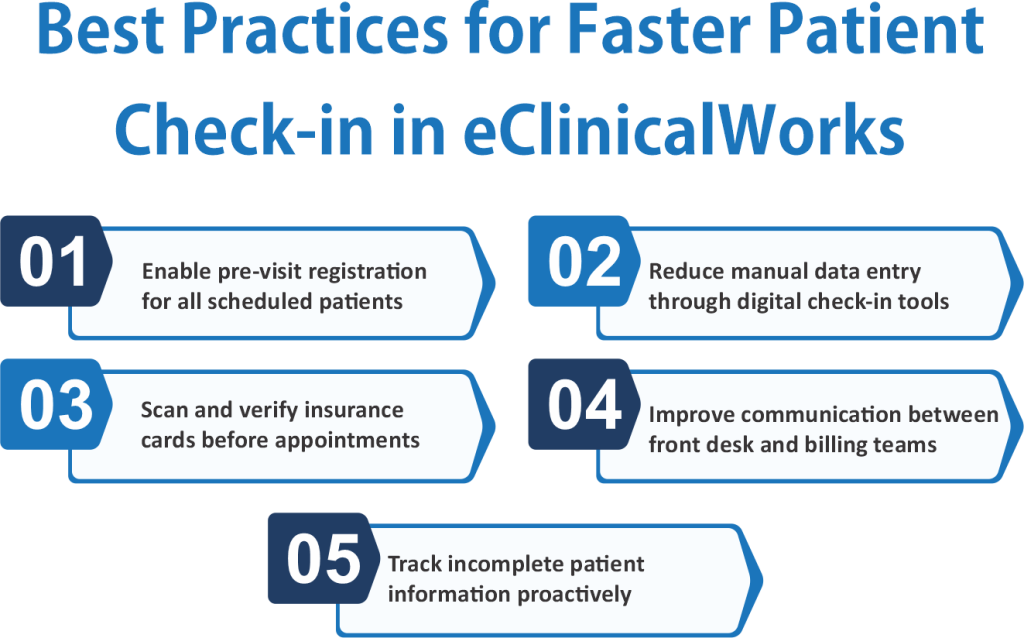
Reducing Patient Check-in Delays in eClinicalWorks
Patient check-in delays in eClinicalWorks usually occur when intake data is incomplete or not verified before arrival. These delays slow down front desk operations and increase waiting room congestion. They also create pressure on billing teams due to last-minute corrections.
Reducing check-in delays requires structured data validation before the patient arrives. Front desk teams must ensure that insurance, demographics, and appointment details are complete in advance. This improves workflow speed and reduces manual corrections.
Improve digital check-in workflow
Digital check-in reduces dependency on manual registration and improves data accuracy. When patients submit information before arrival, the front desk workload decreases. It also reduces errors during peak hours.
- Enable pre-visit registration forms for all appointments
- Validate patient demographics before appointment day
- Scan and verify insurance cards in advance
- Ensure required fields are completed before check-in
Front desk coordination improvements
Coordination between front desk staff and billing teams is essential for smooth check-in operations. Lack of communication leads to repeated corrections and delays. Structured task division improves efficiency.
- Assign clear roles for check-in and verification tasks
- Avoid duplicate entry of patient information
- Share real-time updates with billing and coding teams
- Monitor incomplete records before patient arrival
eClinicalWorks Appointment Scheduling Optimization
Appointment scheduling issues in eClinicalWorks often lead to front desk bottlenecks when templates, visit types, and provider availability are not aligned. These issues create overbooking, gaps in schedules, and uneven patient flow throughout the day. They also affect staff workload and clinic efficiency.
Optimizing scheduling requires a structured configuration inside the system. Each appointment type should match clinical service duration and provider capacity. This reduces conflicts and improves patient movement across the workflow.
Optimize provider templates
Provider templates in eClinicalWorks must be configured based on real service time requirements. Incorrect setup leads to scheduling conflicts and reduced clinic productivity. Proper template design improves daily patient flow.
- Define fixed time slots for each visit type
- Separate new, follow-up, and procedure appointments
- Block emergency or urgent care time slots
- Align templates with provider availability and workload
Reduce no-shows and scheduling gaps
No-shows and last-minute cancellations disrupt front desk planning and reduce clinic efficiency. These gaps also create revenue loss and uneven workload distribution. Structured reminders and follow-ups reduce these issues.
- Enable automated appointment reminders via SMS or email
- Confirm appointments before scheduled visit dates
- Use waitlists to fill canceled slots quickly
- Track repeat no-show patients for follow-up action
Conclusion
Front desk bottlenecks in eClinicalWorks often originate from scheduling errors, incomplete patient intake, and delayed eligibility verification. Addressing these workflow gaps improves patient flow, reduces administrative rework, and supports more accurate billing outcomes.
Healthcare organizations that standardize front desk processes, strengthen data accuracy, and optimize scheduling workflows can reduce medical claim denials, improve operational performance, and accelerate reimbursement. Consistent workflow management helps create a more efficient connection between patient access, clinical operations, and revenue cycle activities.
FAQs
What are the most common front desk bottlenecks in eClinicalWorks?
The most common front desk bottlenecks in eClinicalWorks include registration errors, scheduling conflicts, incomplete patient demographics, and delayed insurance eligibility verification. These issues can slow patient flow and affect billing accuracy.
How do front desk errors affect medical billing and claims?
Front desk errors often result in incorrect patient information, insurance mistakes, or missing documentation. These issues can lead to claim denials, payment delays, and additional administrative rework.
How can clinics reduce patient check-in delays in eClinicalWorks?
Clinics can reduce check-in delays by using pre-registration forms, verifying insurance information before appointments, and validating patient demographics in advance. These steps help improve workflow efficiency.
Why is eligibility verification important in eClinicalWorks?
Eligibility verification confirms active insurance coverage before services are provided. Completing this process early helps reduce claim denials, billing disputes, and reimbursement delays.
How does appointment scheduling optimization improve front desk performance?
Appointment scheduling optimization helps prevent overbooking, scheduling conflicts, and uneven patient flow. Proper scheduling configuration improves provider utilization and reduces front desk workload.