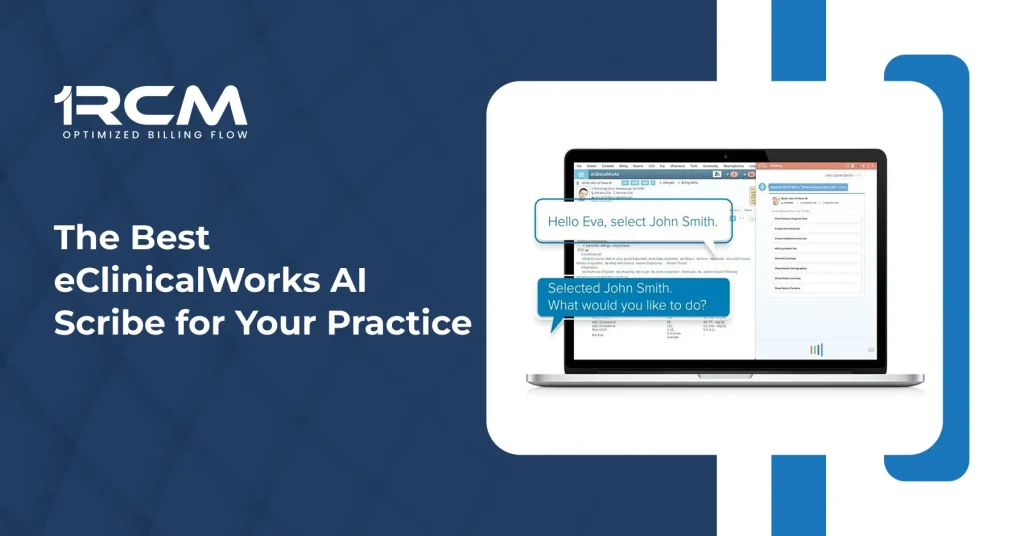
Your providers finish clinic at five. The charts are still open at eight. That gap is the AI scribe market in one sentence.
The best AI scribe for eClinicalWorks depends on one question: how deeply should the tool connect? No single eClinicalWorks AI scribe is right for every practice. Sunoh is built by eClinicalWorks, so no third-party software is needed. Freed installs as a browser extension in minutes. DeepCura connects through the eClinicalWorks API and automates the most steps.
Nabla, Suki, and Athelas are strong products that have not published eClinicalWorks integrations yet, so a demo with each is time well spent. This article explains the four AI scribe eClinicalWorks integration levels, each vendor’s published pricing, and a fit summary for each practice type.
What an AI Scribe Actually Does
An AI scribe records the visit and turns the conversation into a draft note. The industry term is ambient documentation: the tool works from the room’s audio instead of your typing. The provider reviews the draft, edits what needs correcting, and signs. The note is still the provider’s note. The tool removes the typing, not the judgment.
An AHRQ technical brief on documentation burden lists note entry, order entry, and after-hours documentation among the core work functions driving clinician burnout. AI scribes aim directly at that note entry layer.
Because the tool records patient conversations, it handles protected health information. HHS guidance on business associates states that vendors creating, receiving, maintaining, or transmitting PHI on your behalf are business associates, and its examples include third-party AI vendors. Before any purchase, have the vendor sign a business associate agreement, the HIPAA contract that sets data safeguards.
The Four Levels of eClinicalWorks Integration
Every third-party scribe reaches eClinicalWorks, or eCW, in one of four ways. The level decides how much typing you still do. It also decides how much structure the note keeps on the way into the chart. The table below is the short version.
| Level | How the note reaches eCW | What you still do | Tools at this level |
| 1. Copy and paste | You paste the draft into a progress note | Choose the note type, place the text, fix formatting | Almost any scribe, including Nabla and Suki |
| 2. Browser extension | An extension fills eCW fields while you chart in the browser | Click to send, then review the result | Freed; Athelas lists a Chrome option |
| 3. Scribe It paste | You paste the draft into eCW’s Scribe It tool, which parses it into fields | Trigger the parser, review the mapped fields | Commure Scribe; DeepCura automates this step |
| 4. Direct API write-back | Software writes structured data into eCW through the eCW API | Review and sign | DeepCura; DeepScribe offers this path |
Level 1: Copy and Paste
Any scribe can work at this level. Generate the note in the vendor app, copy it, and paste it into the eCW progress note. It costs nothing extra and works with every product here, including Nabla and Suki. It is also the slowest path, because pasted text lands as one block that needs reformatting by hand.
Level 2: The Browser Extension
The scribe runs as a Chrome extension while you chart in eCW’s browser version. Click a button, and the extension fills the fields. Freed works this way with its Push to EHR button, and Athelas lists a Chrome option in its help documentation. Setup takes minutes. The extension depends on how eCW renders in the browser, so ask each vendor how it handles eCW updates.
Level 3: The Scribe It Paste
Scribe It is an eClinicalWorks feature that reads pasted text and parses it into structured fields, such as the history of present illness and the exam. A level 3 tool formats its draft so that parser can read it. Commure sells Scribe-It support at $89 per provider per month. DeepCura triggers the parse automatically, which is why it also appears in the next level.
Level 4: The Direct API Write-Back
An API is a connection that lets two programs exchange data without anyone copying anything. eCW exposes its own API, built on FHIR, the standard health data format EHRs use to exchange information. A level 4 tool writes structured data straight into the chart. DeepCura documents this connection for eCW in production-level detail, and DeepScribe offers the same path. This is the deepest level a third-party tool can reach. Sunoh is not on this ladder at all, because eCW builds it in-house.
What the eClinicalWorks API Can and Cannot Write
The API sets a hard boundary on what any third-party scribe can automate. DeepCura, the only vendor in this comparison publishing field-level eCW documentation, lists exactly what its connection writes.
What a Level 4 Tool Can Write
According to DeepCura’s production documentation, the eCW API accepts:
- Allergies, using SNOMED CT codes.
- Medications, using RxNorm codes. Other drug code formats return an error.
- Lab and imaging orders, using LOINC codes.
- Immunizations, using CVX codes.
- The problem list, using ICD-10 and SNOMED codes.
What No Tool Can Write Through the API
The same documentation lists what stays manual:
- Vital signs.
- Treatment notes attached to a specific diagnosis.
- E&M and CPT billing codes, the visit and procedure codes that drive the claim.
- Links between an order and the diagnosis that justifies it.
eCW also charges third-party vendors $50 per month for API access, which is why some tools price their eCW connection separately. DeepCura builds the fee into its $129 plan. The field limits matter more than the fee. No tool can send codes straight into the claim, because the API does not allow it. If a tool advertises automated billing fields, a quick demo shows exactly which fields it writes.
Sunoh, the Scribe Built Into eClinicalWorks
Sunoh is the ambient scribe eClinicalWorks built for its own EHR, the only product here with no integration question to answer. According to eCW’s own pages, the draft imports into the Progress Note with SOAP sections, meaning subjective, objective, assessment, and plan, and it prefills orders. It runs on the desktop EHR, eClinicalTouch on tablets, and eClinicalMobile on phones.
What Sunoh Costs
Sunoh lists at $149 per user per month on its pricing page, reduced from $199. There is no self-serve checkout: purchases go through your eCW or healow representative, so enterprise agreements may differ. Sunoh is not bundled with the EHR: eCW includes tools such as AI Assistant, Image AI, and the PRISMA search engine with subscriptions, but the ambient scribe is a paid add-on.
What to Ask Your eCW Representative
eCW says Sunoh serves roughly 90,000 to 100,000 providers, and cites a survey of about 900 users reporting up to four hours saved per day. The published material does not detail Sunoh’s coding support. Your representative can walk you through the survey details and show which note sections and orders Sunoh prefills for your specialty.
Freed, the Fastest Setup of the Group
Freed built its eClinicalWorks workflow around a Chrome extension. It is the simplest way to test a real integration this week. The seven-day trial needs no contract.
How the Freed AI Scribe eClinicalWorks Integration Works
Freed records the visit, drafts a SOAP-style note, and pushes it into eCW with one click. Its help documentation describes the field mapping. Chief complaint goes to chief complaint. History of present illness goes to HPI. Review of systems goes to free text. The objective section goes to the exam. The assessment and plan goes to diagnoses, with ICD-10 codes and an internal clinical note per diagnosis. A Learn Format feature adapts future drafts to your preferred structure.
What Freed Costs
Freed’s pricing page lists plans from $39 to $119 per clinician per month, and its own comparison page shows Core at $79 and Premier at $104.
DeepCura, the Deepest Automation Available
DeepCura is the only vendor here that publishes field-level documentation of its eCW API connection. It also layers automation on top. The DeepCura AI scribe eClinicalWorks workflow combines direct API write-back with eCW’s Scribe It parser.
How DeepCura Writes Into eCW
The API path writes the structured data described above: allergies, medications, orders, immunizations, and the problem list. The Scribe It path formats the narrative note. Per DeepCura’s documentation, its Scribe It engine runs three agents in sequence. One restructures the note and cleans punctuation. One matches ICD-10 codes against your practice’s own diagnosis list imported from eCW. One prepares E&M and CPT codes for review. The platform also mirrors your schedule every 15 minutes, builds cited pre-visit briefs, and reads attached PDFs before the visit.
What DeepCura Costs
DeepCura prices its eCW plan at $129 per month total, already including the $50 eCW API fee. The plan carries about 1,000 automation credits a month, which DeepCura sizes at roughly 15 to 20 encounters per day. The free trial runs without a credit card.
Where Nabla, Suki, and Athelas Stand With eCW
Three more names come up in every eClinicalWorks scribe search, and all three are established products. Their eCW integration status varies, so it helps to know what each company has published before you talk to them.
Nabla: No eCW Listing Yet
Nabla reports a KLAS score of 90.9 from the research firm KLAS, notes in about five seconds, and more than 35 languages. It suggests ICD-10 and HCC codes, used in value-based contracts, with CPT coding on its public roadmap. Its published integrations cover Epic, Oracle Health, athenahealth, NextGen, Greenway, and Altera, plus an API path. A Nabla AI scribe eClinicalWorks integration is not on that list yet, so eCW practices can work at level 1, copying notes in. A free tier allows 30 notes a month, and third-party coverage puts paid plans from about $119 per provider per month.
Suki: A Voice-First Approach
Suki is voice-first: providers speak naturally, and the tool drafts notes and carries out spoken commands. Its published integrations cover Epic, athenahealth, MEDITECH, and Oracle Health. A Suki AI scribe eClinicalWorks integration is not on that list yet, so like Nabla, it works with eCW at level 1. Third-party coverage estimates pricing at $299 to $399 per provider per month.
Athelas: Documented in Its Help Center
Athelas markets ambient documentation alongside its other products. Its help documentation describes a deep, bi-directional integration, meaning data moves both in and out, with major EHR systems, and it names eClinicalWorks among them. The documented routes are an API, a Chrome extension, and a direct app. Pricing is available from the company. The best way to see the Athelas AI scribe eClinicalWorks connection in action is a demo inside your own eCW environment.
The eClinicalWorks AI Scribe Comparison
The table gathers the key details in one place.
| Tool | Connection level | How the note reaches eCW | Published pricing | A good next step |
| Sunoh | Built in by eCW | Draft imports to the Progress Note with orders prefilled | $149 per user per month, via your eCW or healow rep | Coding detail; the time savings survey |
| Freed | Level 2 | Chrome extension with one-click Push to EHR | Plans from $39; Core $79 and Premier $104 | Trial results with your own visit notes |
| DeepCura | Levels 3 and 4 | API write-back plus automated Scribe It parsing | $129 per month total, including the $50 API fee | Credit usage against your visit volume |
| Nabla | Not listed yet | Copy and paste | Free tier; paid from about $119, reported | Whether an eCW integration is on the roadmap |
| Suki | Not listed yet | Copy and paste | About $299 to $399, estimated | Same question, plus voice workflow fit |
| Athelas | Levels 2 and 4, per help docs | API, Chrome extension, or direct app | On request | A live demo inside your own eCW environment |
One thing to keep in mind: the level describes who moves the text, not the quality of the note. A level 1 paste from an accurate tool can serve a practice better than a level 4 write-back from a weak one.
How to Match the Scribe to Your Practice
Match on integration depth, budget, and who manages your IT.
- Choose Sunoh if you want one vendor for the EHR and the documentation layer, with no third-party contract to manage.
- Choose Freed if you want to start this week, self-serve, and test adoption with a few providers first.
- Choose DeepCura if coding preparation and API write-back matter most and your visit volume fits inside its credit model.
- Consider Nabla or Suki if your group also runs other EHRs, since those tools publish integrations elsewhere.
- Ask Athelas for a demo inside your own environment to see its documented connection in action.
AI drafts still need review, and some situations still favor people. New providers learning documentation standards, specialties with long narrative notes, and visits with complex context can all produce drafts needing heavy edits.
From Documentation to Clean Claims
The note is where billing starts. An unsigned note delays the charge. A note that does not support the billed codes becomes a denial later. AI scribes shorten the path to a signed note, but they do not close the loop from note to claim. The eCW API cannot write E&M or CPT codes, so charge entry and coding review still decide what actually gets billed. Practices that want their eCW tools, interfaces, and billing workflows connected as one system can start with eClinicalWorks integration services. Those services cover API and interface connections alongside revenue cycle management.
Conclusion
The best AI scribe for eClinicalWorks is the one whose connection level matches how your practice works. Sunoh removes the integration question entirely. Freed makes trying it painless. DeepCura automates the most steps. Nabla, Suki, and Athelas each start with a demo in your own environment. Whatever you choose, three steps make adoption smooth: sign the business associate agreement, learn which fields the tool writes, and pilot with a few providers first. ORCM works with eClinicalWorks practices on integration, billing, and revenue cycle services.
FAQs
Is Sunoh included in my eClinicalWorks subscription?
No. eCW bundles tools such as AI Assistant, Image AI, and the PRISMA health information search engine, but the ambient scribe is a paid add-on at $149 per user per month.
What is Prism AI in eClinicalWorks?
PRISMA is eCW’s health information search engine, which pulls in records from outside sources. Some third-party sites call eCW’s AI features Prism AI informally. The ambient scribe product itself is Sunoh.
Do any of these scribes enter billing codes automatically?
No tool can write E&M or CPT codes into eCW through the API, per DeepCura’s production documentation. DeepCura’s Scribe It engine prepares codes for review, and a person confirms or enters them in eCW.
Can I use Nabla or Suki with eClinicalWorks today?
Yes, at level 1. Both tools generate notes you can copy into a progress note. Neither has published an eCW integration yet.